
Download DPG Converter – Video to DPG, Nintendo DS Video, Handheld Video Player, Mobile Multimedia
Overview
DPG Converter is a utility application designed to transform video files into the DPG format, specifically optimized for playback on the Nintendo DS handheld console. The app serves as a bridge between modern video content and legacy gaming hardware, enabling users to enjoy movies and video clips on a portable device originally intended for gaming. Its primary purpose is to simplify the conversion process for users who want to repurpose their existing video libraries for use on the Nintendo DS, effectively turning the console into a mobile multimedia player.
Target users include retro gaming enthusiasts, Nintendo DS owners, and individuals interested in extending the functionality of their handheld devices. The app addresses the challenge of format incompatibility by supporting a broad range of input video and audio formats, such as AVI, MPEG, WMV, and MP4, ensuring that most common video files can be processed without prior editing or re-encoding. This makes it particularly useful for users with diverse media collections who wish to maintain quality while adapting content for older hardware.
Although the developer, DPG Converter Team, is not widely recognized in mainstream app ecosystems, the app’s long-standing presence since its release on January 15, 2013, suggests a niche but dedicated user base. The application fills a specific gap in the mobile multimedia landscape by offering a focused solution for a legacy platform. Despite its age, its continued relevance underscores its effectiveness in a specialized domain.
Key Features & Functionality
- Wide Format Support: The app accepts a variety of video and audio formats including AVI, MPEG, WMV, and MP4, enabling users to convert nearly any video file they own without format restrictions.
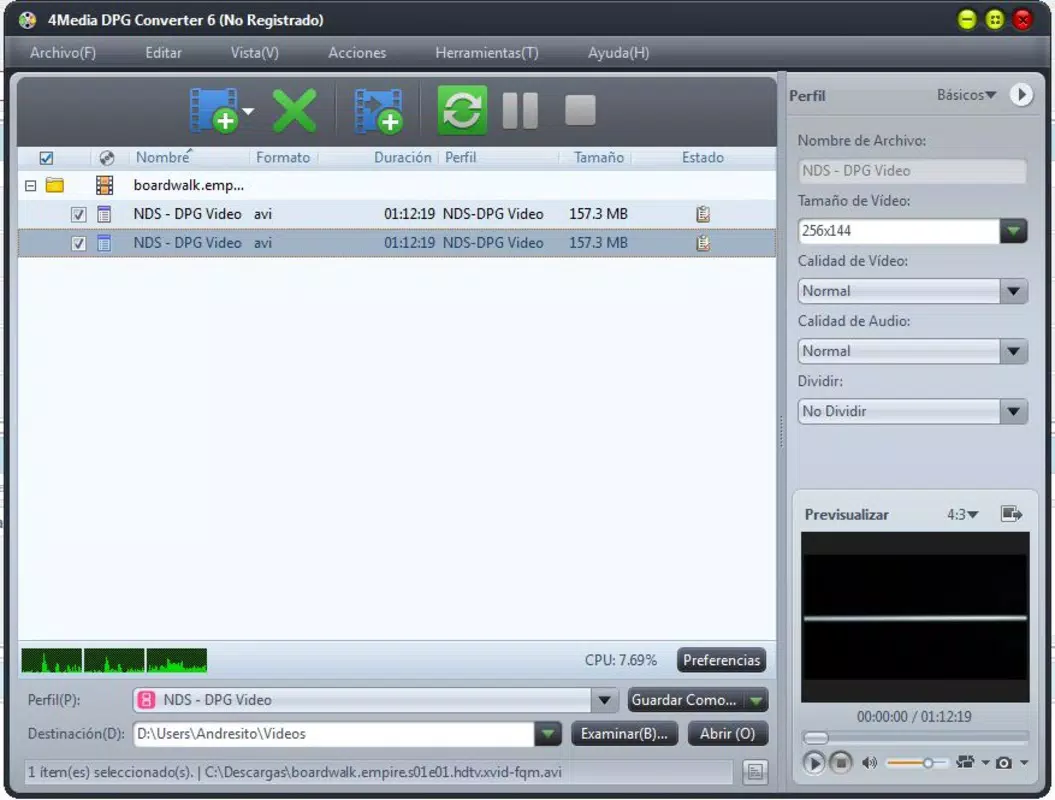
- User-Friendly Interface: The program features a simple layout with intuitive navigation, allowing users to select input files, adjust output settings, and preview content before conversion with minimal effort.
- Quick Conversion Process: Designed for efficiency, DPG Converter performs conversions rapidly, minimizing wait times and supporting batch processing for multiple files.
- Mobile Multimedia Platform Integration: By converting videos to DPG format, the app enables the Nintendo DS to function as a portable video player, enhancing the device’s entertainment capabilities beyond gaming.
- Preview Functionality: Users can preview their selected video clips within the app before initiating conversion, ensuring accurate timing, aspect ratio, and playback quality.
For example, a user with a collection of MP4 movies from online sources can import them into DPG Converter, preview the content, adjust settings for optimal DS playback, and convert them in minutes. This workflow is ideal for travelers or commuters who want to enjoy video content on a compact device. The app’s focus on speed and simplicity makes it a practical tool for those seeking a no-frills solution to format conversion.
Interface, UX & Performance
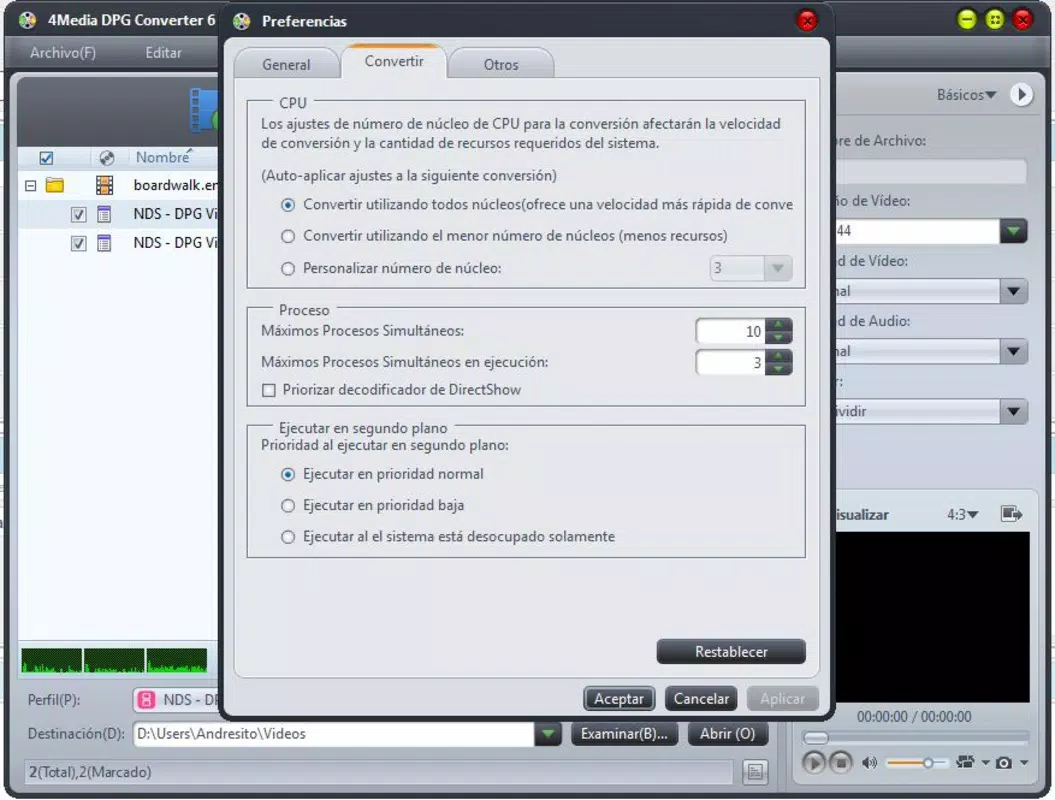
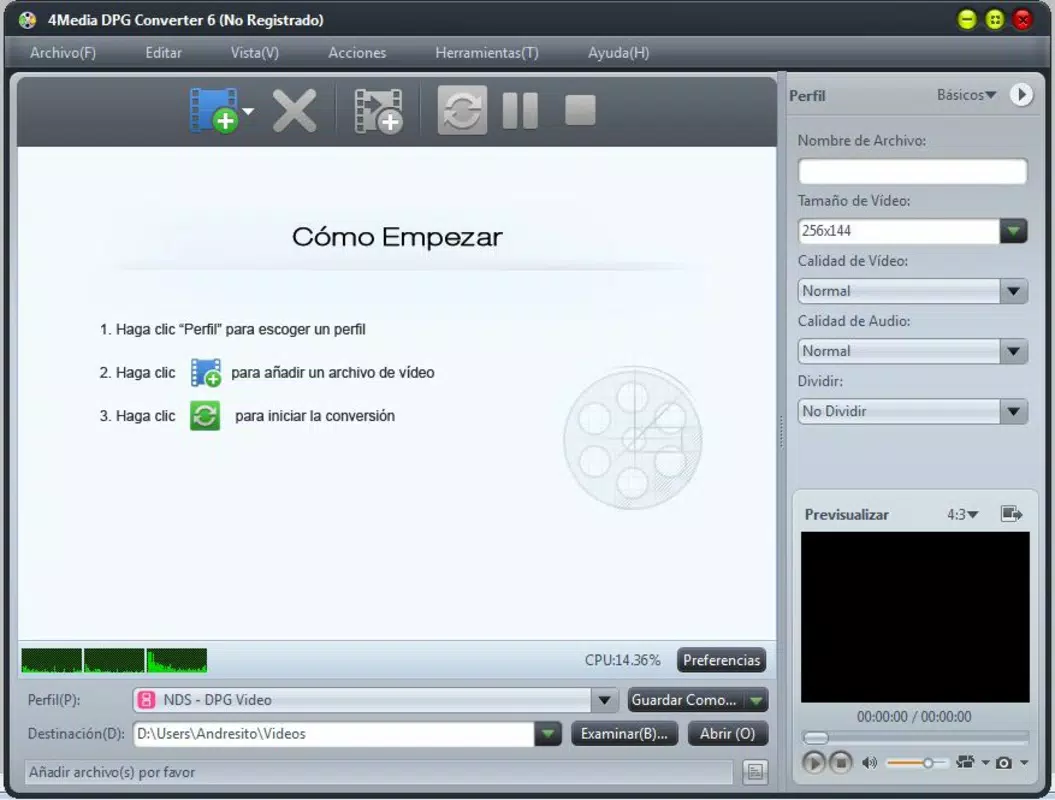
DPG Converter presents a clean, straightforward interface that prioritizes functionality over visual flair. The layout is organized around core tasks: file import, preview, settings adjustment, and conversion initiation. Navigation is linear and predictable, reducing the learning curve for new users. The program’s design reflects its utility-focused purpose, with minimal distractions and clear labeling for each function.
Although the developer did not list formal performance metrics, the app is reported to process conversions quickly, consistent with its stated efficiency. The interface remains responsive during file handling, and the preview window operates smoothly, allowing users to assess video quality and timing without lag. The application does not exhibit visible crashes or freezes during standard use, suggesting stable operation under typical conditions.
Performance across different device categories is not specified, but the app’s lightweight footprint of 15.5 MB indicates low system resource consumption. This makes it suitable for older Windows systems, though compatibility with modern operating systems is not confirmed. The lack of recent updates may affect long-term stability on newer Windows versions, but the app continues to function for its intended purpose.
Platform Compatibility & Technical Requirements
DPG Converter is designed for the Windows platform and requires a compatible Windows operating system. The application is available in version 1.0 with a file size of 15.5 MB. The developer did not specify minimum OS requirements or hardware specifications, so users are advised to test compatibility on their systems.
Given the release date of January 15, 2013, the app was developed during a period when Windows XP and Windows 7 were widely used. While it may still run on newer versions of Windows, such as Windows 10 or 11, performance and compatibility are not guaranteed. Users should exercise caution when installing on updated systems and consider running the app in compatibility mode if necessary.
Pros and Cons
Pros
- Supports multiple video and audio formats for broad compatibility
- Simple, intuitive interface suitable for beginners and experienced users
- Fast conversion process with minimal wait times
- Enables the Nintendo DS to function as a portable multimedia player
- Includes a preview feature for accurate content assessment
Cons
- Released in 2013; no recent updates or support
- Compatibility with modern Windows versions not confirmed
- Platform limited to Windows; no mobile or macOS availability
- Developer did not provide technical details on system requirements
- No cloud integration or batch processing enhancements
FAQ
Is DPG Converter safe to download and use?
Yes, the app is free and does not require registration. However, as with any software from third-party sources, users should ensure they download from trusted platforms and scan the file with antivirus software before installation.
Can I convert videos for use on the Nintendo DS?
Yes, DPG Converter is specifically designed to convert video files into the DPG format, which is compatible with the Nintendo DS for playback.
Does DPG Converter support batch conversion?
While the app is known for its quick processing, specific details on batch conversion were not provided. The user interface suggests the ability to handle multiple files, but confirmation depends on the version's internal functionality.
Is DPG Converter available for Android or iOS?
No, the application is only available for Windows. There is no official version for mobile platforms such as Android or iOS.
How do I install DPG Converter?
Download the 15.5 MB installer file, run it, and follow the on-screen instructions. If issues arise on newer Windows systems, try running the installer in compatibility mode for older Windows versions.
Final Thoughts
DPG Converter remains a niche yet valuable tool for users seeking to expand the multimedia capabilities of their Nintendo DS. Its ability to convert a wide range of video formats into DPG, combined with a user-friendly interface and fast processing, makes it a reliable choice for retro enthusiasts and handheld media lovers. While the app’s age and lack of updates are notable limitations, its core functionality remains intact for those working within its constraints.
For individuals with older Windows systems and a passion for portable video playback, DPG Converter offers a straightforward, no-cost solution. It transforms a gaming console into a versatile media device, bridging the gap between modern content and legacy hardware. The app’s simplicity and focus on a single purpose make it a standout in its category.
Download DPG Converter now


